
The pipeline builder
A pipeline is work that gets done when nobody is watching: a trigger, the steps that follow & the branches between them, drawn on a canvas, tested as a draft & switched on only when you are ready.
What a pipeline is
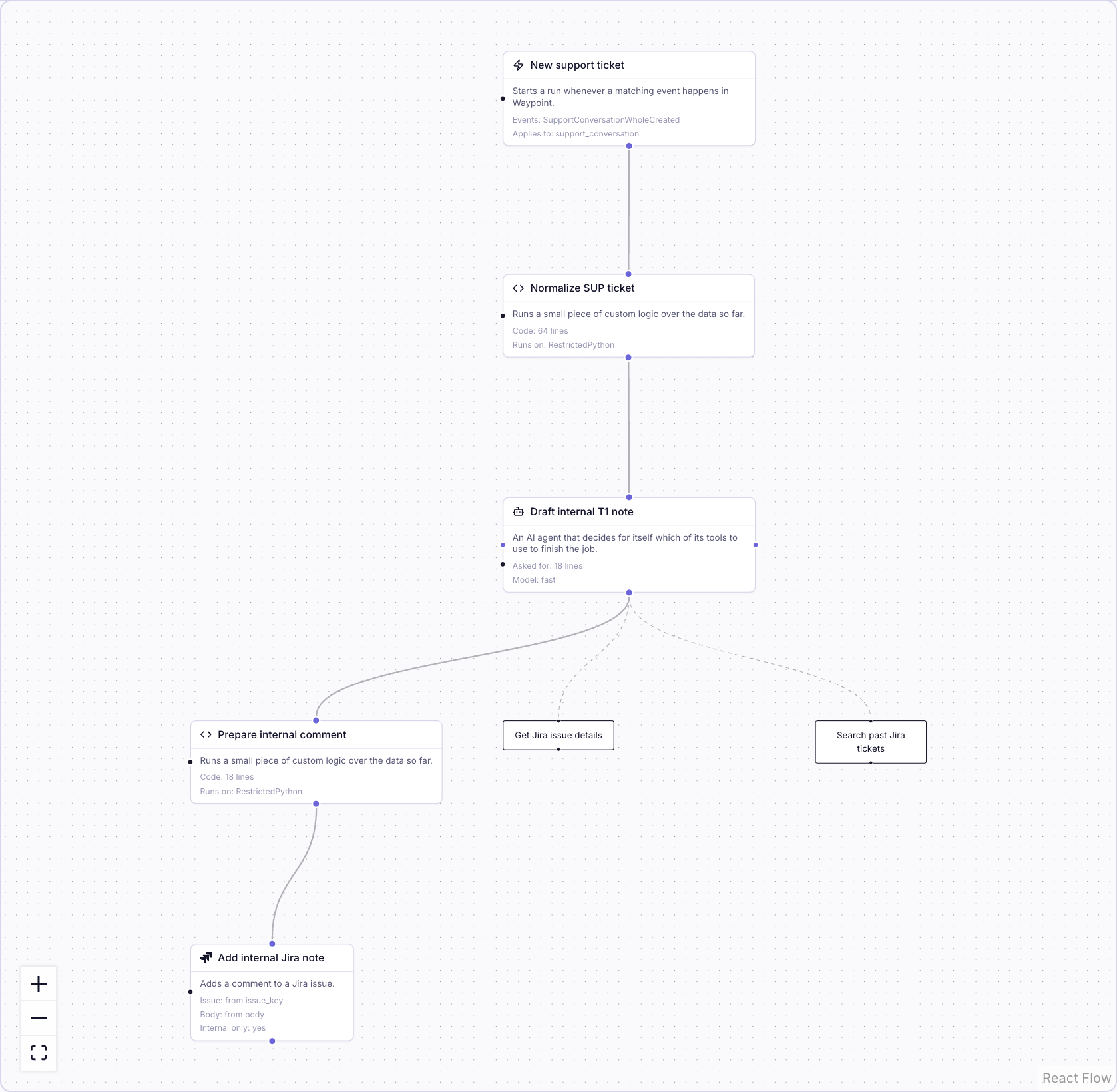
A pipeline is a graph: one trigger starts it, each step hands what it produced to the next & branches decide which steps run. You place steps on the canvas, connect them & open any step to set what it does. Every step carries a one-line summary of why it is there, so a pipeline reads as a sentence per step. Chip builds automations as pipelines & writes those summaries as it builds.
Triggers
A pipeline starts from what already happens:
- An event in a connected system. A case created, a ticket updated, an escalation resolved.
- A schedule, in your timezone: every morning, weekdays at nine, the first of the month.
- A row created, changed or deleted in one of your tables, on the fields you choose.
- A button, in Waypoint or inside the ticket your agents already have open.
- A message or a slash command in Slack.
- Another pipeline finishing, on the outcome you name.
- A call to a URL. Any system that can POST starts the pipeline & what it sends is carried into the first step.
- An agent. An agent in a pipeline, or Chip in a conversation, calls the pipeline as a tool.
A pipeline can have more than one way in: Monday's digest also runs when someone presses Run now on its page.
Steps
- Read. Load the case, list the rows, fetch the attachment, search earlier cases, query a table.
- Decide. A label from a fixed set, a policy that labels & keeps score, an agent that reads, looks things up & answers in the shape the next step needs.
- Shape. A template, a value picked out of the data, a small piece of code for the fixed logic.
- Act. Create or comment on an issue, post to Slack, send an email, update a case, write a row or a record, start another pipeline.
- Wait. Pause until a person has decided, in Slack or on a form, then carry on.
Chip picks the simplest step that does the job: code for arithmetic, a label for a known set, an agent where the step has to look something up first.
Branching
A branch is a connection with a condition on it. Route on a label: the step after a labeling step runs for the label you name & the other branches wait for theirs. Route on a value: a step runs when a field is present or matches. Fan out: when a step produces a list, the steps after it run once per item in parallel & a merge step collects the results back in order. Errors are a route too: every step has an error handle, so a failed lookup posts a message & the rest of the run finishes.
Drafts, tests & going live
Every pipeline starts as a draft & a draft never fires. Test Run replays it against a real record with sending switched off & opens step by step with what each step received & produced. Add Tests for a pipeline you will keep changing: fixed input, the sending steps replaced by stand-ins that capture what would have been sent & a pass or fail you re-run after every edit. A test cannot send: one that still holds a real sending step is refused. Press Activate when it is right.
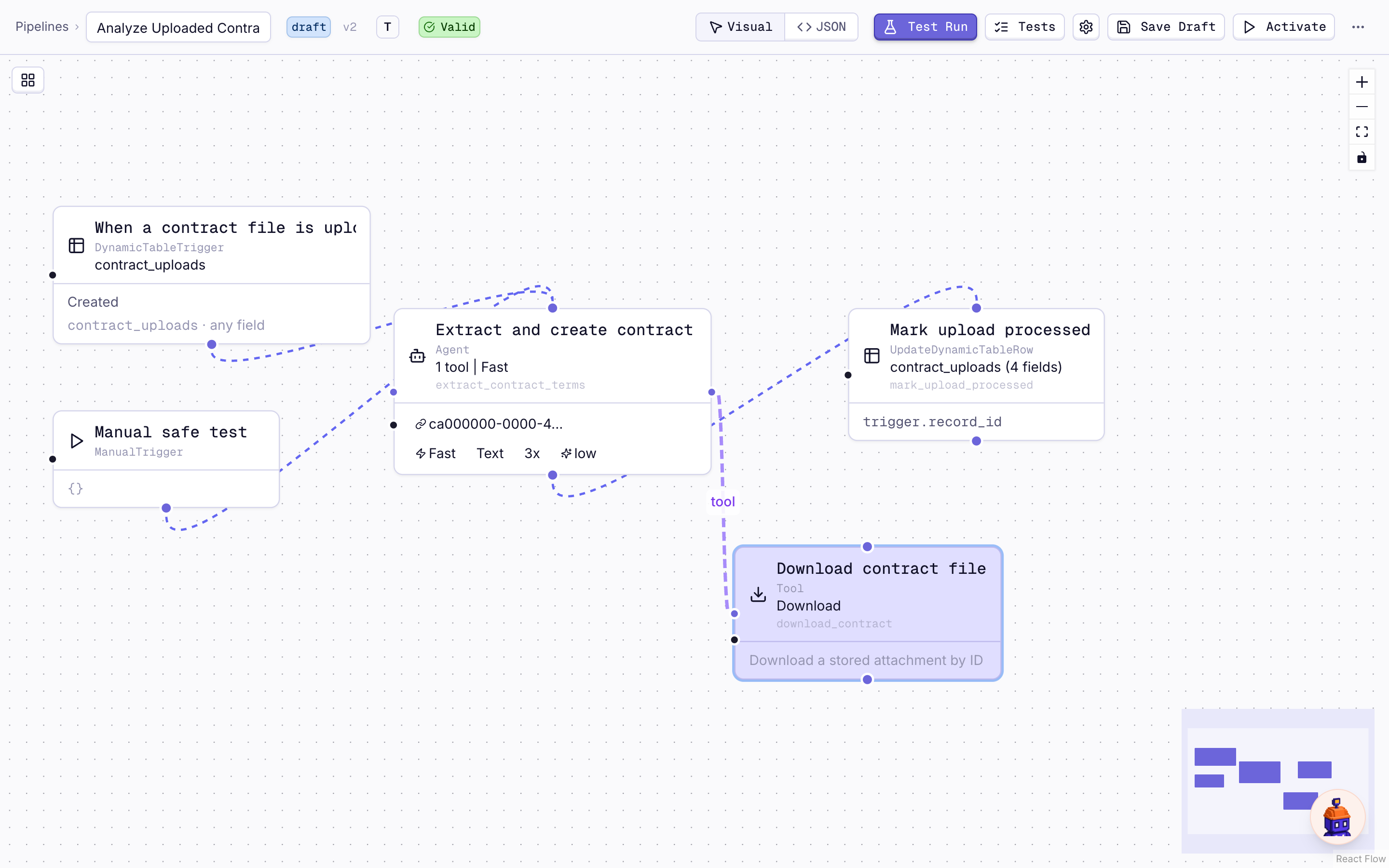
Once a pipeline is live, an edit saves a new version & the live version keeps running until you press Deploy. Every version is kept in Version History & any earlier one can be restored. Deactivate stops a pipeline; Reactivate brings it back.
Who owns a pipeline & who sees it
Every pipeline has owners & whoever created it is the first. Owners edit it, add owners & decide whether everyone in the workspace can see it, or see & edit it.