
Labels & routing
A policy labels cases & rows as they arrive, with the criteria written down, the reasoning kept on every label & its accuracy measured against the labels your team confirmed, so a label is something you can route on & argue with.
Policies
A policy gives every case a label your team can act on, as it arrives: criticality, product area, root cause, the team a case belongs to. Behind it is a named classification: the guidance the model follows, the set of labels it chooses from & a line of criteria for each label saying when it applies over its neighbours. Policies label the rows of tables you built too: a contract's risk, a candidate's stage. Every label carries the reasoning behind it, so a wrong label tells you which sentence misled it. Give a policy your own taxonomy, SLA table or triage guide as a linked document & it reads your own words. Open Policy Management to see every policy with its labels & their counts.
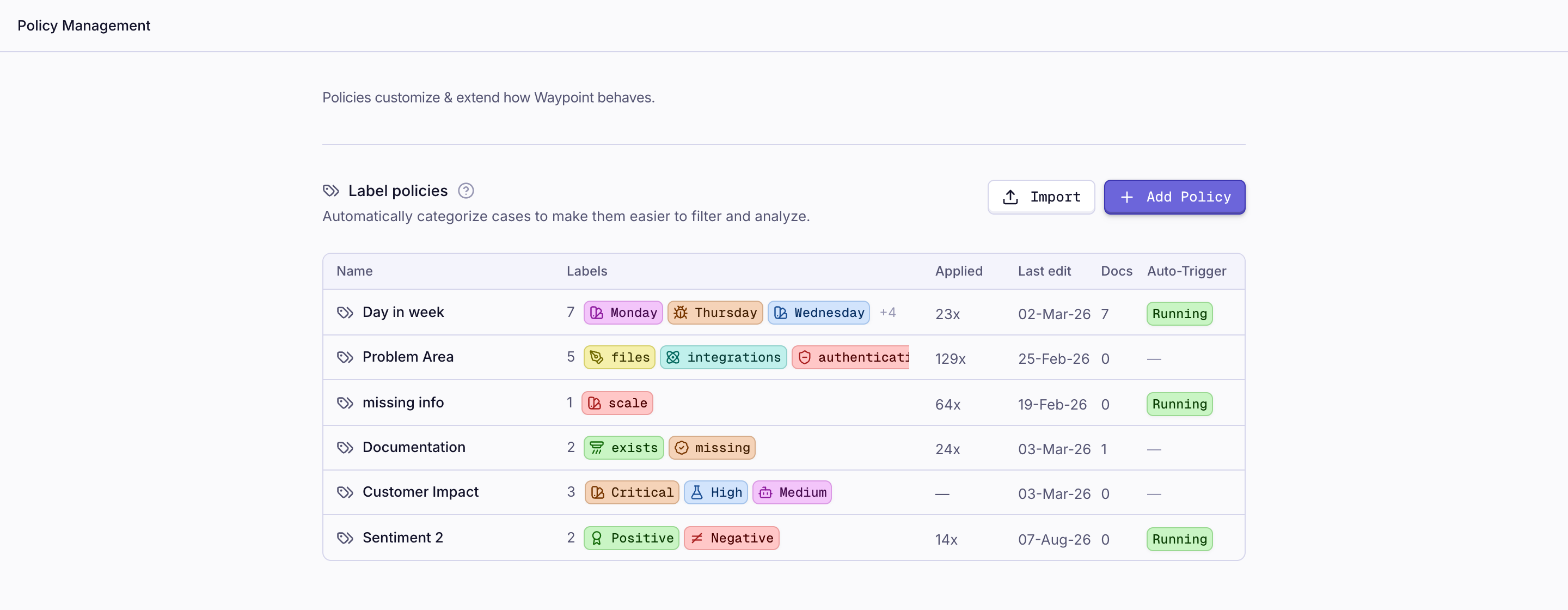
A policy runs by itself: when a case reaches a status, when an event lands on its timeline, when another policy assigns a label or when a row in one of its tables is created or changes. Run it over the history in one go when you add one.
Custom labels
Add a label to a policy with a name & its criteria; tighten the criteria when the model keeps confusing two labels. Correct a label on a case by hand & the correction stays through every later run. Inside a pipeline, a one-off labeling step sorts into a fixed set you name on the spot. A policy is for the label that routes work & that someone will ask the accuracy of.
Routing on a label
A label is a branch. In a pipeline, the step after a labeling step runs for the label you name: the critical case creates the issue & posts to the on-call channel, the rest go to the queue. A label can start the next policy, so a sub-category follows a category. A label landing on a row of one of your tables starts a pipeline like any other row change. Labels are fields everywhere else: filter the case list by them, group an explorer by them, set them as a filter in Ask, ask Chip what is driving them this month.
Watching accuracy
Confirm a label & it becomes ground truth: a label a person approved, set by hand or corrected. Run the policy in evaluation mode & it labels only the cases that have ground truth, keeps those labels apart from the live ones & reports the run's accuracy, with every miss listed as what it predicted against what was right. Most misses come from two labels that share a sentence; the fix is one line of criteria, checked by running the evaluation again. Which labeling policy is getting it wrong builds the explorer that does this as a standing report.