
Agents as steps
An agent step is where a pipeline needs judgement, so an automation handles the cases a fixed rule never could. It reads what the steps before it produced, uses the tools you connected to look things up or act & hands the next step an answer in the shape you asked for.
What an agent step does
Most steps do one fixed thing. An agent step reads, works out what it needs, calls its tools as many times as the task takes & then answers. You give it three things: a prompt saying what it is for & when to use each tool, the data from the steps before it & the shape of the answer you want. Read the case & decide which team it belongs to. Check the account before drafting the reply. Pull the fields out of the attachment & file them.
Tools are connections you draw
An agent has exactly the tools you connect to it on the canvas, so you decide what it can reach. Draw a connection from the agent to a step & that step becomes a tool the agent calls when it decides to: search earlier cases, read a ticket, list the rows of a table, run a read-only query, post a message. Another agent can be a tool, so a searcher hands off to a reader. Servers you run that speak MCP plug in as toolsets. Every tool call is recorded in the run with what the agent asked & what came back, so the record shows what it did.
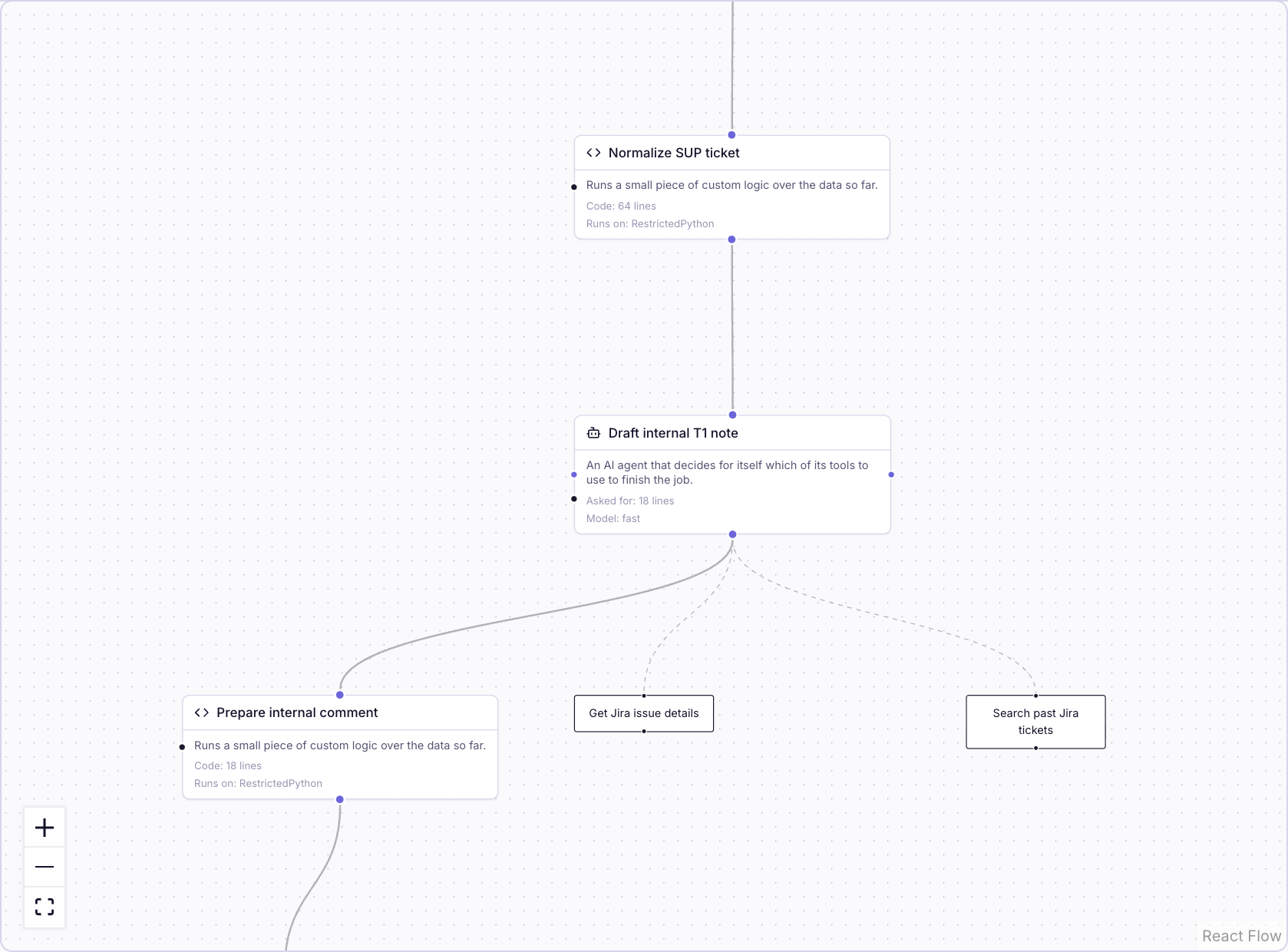
Answers the next step can use
Ask for the answer as a record or as rows of one of your tables & the agent's output is checked against that shape before the next step sees it. Ask for a list & you get one item per match, ready to fan out. A step downstream of an agent never has to parse prose.
How a team scopes an agent
- The prompt. What it is for, when to use each tool, what to leave alone.
- The tools. The smallest set that does the job; count the ones that write or send, because a misread instruction there becomes something that really happened.
- The model. A fast tier, the smartest tier for real multi-step reasoning or a model configuration of your own. See Where it runs.
- The output shape, so the step after it reads data.
- Tests. Keep the real agent, replace its tools with stand-ins & assert on what it tried to do, which tools with which arguments, never on its exact words. For a judgement call, a second agent sits as judge.
Chip's own agents
Chip Build is an agent too, working with you in a conversation. It reads your workspace, asks the one question that changes the build, shows the plan & then creates tables, views, pipelines & documents with the same building blocks you would use by hand, within your own permissions. A pipeline's agent is a step: it runs unattended every time the trigger fires, on that run's data, with only the tools drawn to it. When an automation needs judgement, Chip builds that step for you & leaves it as a draft you switch on.